
Dolphin Emulator
Dolphin EmulatorArcade
4.19.64K Reviews
- Version
- 2606a
- Installs
- 10.00M
- Age Rating
- Everyone
Screenshots
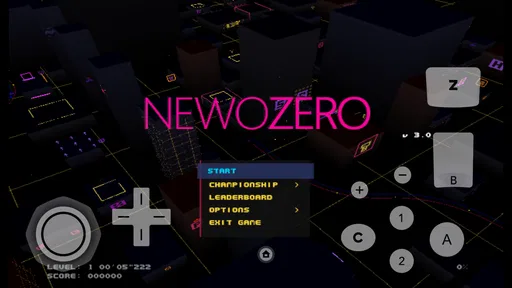
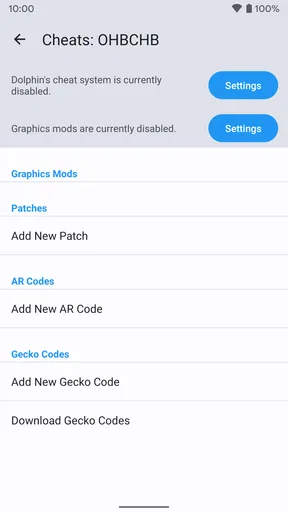
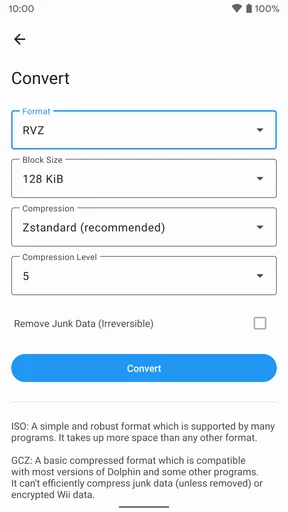
Our Review of Dolphin Emulator
 Analysis by Appyee
I see Dolphin Emulator as one of the most ambitious ways to revisit GameCube and Wii games on a mobile device, but it is not a magic “install and forget” arcade app. It rewards patience, a reasonably capable phone or tablet, and a willingness to adjust controls and performance settings. When those pieces line up, the result can feel remarkably close to carrying a compact version of those console libraries in your pocket. When they do not, the experience can become a lesson in troubleshooting rather than a relaxing gaming session.
That distinction is important because this free arcade game emulator is aimed at people who already understand what emulation involves. Dolphin Emulator, created by Dolphin Emulator, has been available since Apr 5, 2013, and its long presence helps explain why it has become such a familiar name among players interested in Nintendo’s sixth- and seventh-generation hardware. Its current version is 2606a, it works from Android 7.0 onward, and its Everyone age rating makes the application itself broadly accessible. The games you use with it, of course, are a separate matter.
What makes the mobile experience worthwhile
The biggest strength is flexibility. Instead of being tied to a television and a console, I can use the emulator for a short session on a phone, a longer session on a tablet, or a controller-based setup when I want something closer to the original living-room experience. That range makes it more useful than a simple retro launcher. It can adapt to different situations, although the quality of that adaptation depends heavily on the device and the game.
I would not treat the store’s 4.1 average from over 100 thousand ratings as a guarantee that every title will run perfectly. It is better read as a sign that many people find real value here while also encountering the practical compromises that come with mobile emulation. Dolphin has passed ten million installs, which gives it a substantial user base, but popularity does not remove the need for sensible expectations about heat, battery use, controls, and compatibility.
My first useful discovery was that the best setup is rarely the default setup. Touch controls can get you moving quickly, but they are a poor match for games that depend on precise analog movement, shoulder-button pressure, quick camera control, or several inputs at once. I found that a Bluetooth gamepad changes the character of the application completely. It turns Dolphin from an interesting technical experiment into something I can use for a proper play session.
That recommendation comes with a trade-off. A controller adds another item to carry and configure, while a touch layout is always available. For turn-based games, slower adventure sections, menus, and occasional testing, on-screen controls can be acceptable. For fast action, racing, platforming, or anything that expects the feel of a physical GameCube or Wii controller, I would choose external controls before spending time chasing small performance gains.
Why settings matter more than newcomers expect
Emulation is not simply a matter of translating one console’s instructions into something a phone understands. The application is recreating hardware behavior while also drawing the picture and handling input on a completely different platform. That is why two devices with similar-looking specifications can offer noticeably different results. The processor, graphics hardware, thermal design, and software support all influence whether a game feels smooth or struggles.
I recommend beginning with conservative settings and changing one option at a time. If I alter several graphics choices together, it becomes difficult to know which change helped and which one caused a new problem. A sensible workflow is to start a game, play through the same demanding area for a few minutes, and then compare the result after each adjustment. That repeated test is more useful than judging performance from a quiet menu.
There is also a practical reason not to chase the sharpest possible image immediately. Higher visual quality can make a game look cleaner on a modern screen, but it can also increase the workload. If smooth input and stable play are the priority, I would first make sure the game behaves consistently at a modest visual setting. Once that foundation is reliable, raising quality becomes a choice rather than a gamble.
One of the less obvious advantages is that Dolphin can make older games feel more convenient without changing what they are. I can use a modern display, a current controller, and a portable device while still returning to games designed around older hardware. That is especially appealing for someone who owns the original discs or wants to revisit a personal collection. The emulator is most satisfying when it removes practical barriers without pretending that the original hardware never mattered.
A realistic way to use it during a normal week
Imagine having a half-hour break while travelling or waiting for an appointment. I would not use that time to begin a complicated motion-control game that needs a large screen and careful setup. Instead, I would choose a title that works naturally with a standard controller, suspend the session when necessary, and keep the device connected to a charger for longer play. That is where the mobile format makes sense: not as a replacement for every console session, but as a convenient second place to play.
At home, the same application can serve a different purpose. With a tablet and a physical controller, I can create a comfortable setup for a longer session. A phone is more portable, but its smaller screen makes touch controls and detailed interfaces less pleasant. The tablet is not automatically faster, yet it can make the experience easier on the eyes and more comfortable in the hands. Thinking about the physical setup before choosing a device prevents a lot of disappointment.
Storage and organization also deserve attention. An emulator is only part of the arrangement; the games, saves, and supporting files need to be managed responsibly and kept in places that are easy to find. I would keep a clear folder structure, avoid scattering files across random download directories, and make backups of important saves. That is not glamorous advice, but it matters more than a minor graphics tweak when a long-running game is involved.
I also prefer testing one game properly before building a large library around the app. A title that runs well is a much better indicator of whether my device and controller setup are suitable than a quick launch into several games. This approach saves storage, reduces troubleshooting, and helps identify whether a problem belongs to the emulator, the particular game, the input method, or the device itself.
The strongest case for experienced players
For someone who already owns compatible games and understands the basics of emulation, Dolphin offers an unusually broad way to revisit them. It is free, which lowers the barrier to trying the application itself, and its focus on GameCube and Wii gives it a clear identity rather than making it a general-purpose collection of unrelated systems. I appreciate that focus because it sets a more realistic expectation about what the app is designed to do.
The application is also useful for preservation-minded players. Older consoles are not always convenient to connect, and original controllers or cables can be difficult to keep in everyday use. A mobile emulator cannot reproduce every physical detail, especially where motion or unusual input is involved, but it can keep a familiar library accessible. For me, that convenience is the central argument in its favor.
Another strength is the opportunity to tailor the experience to the game. A player may prefer a physical controller for action titles, touch input for occasional menu work, a larger screen for extended sessions, or a lower visual load when the phone becomes warm. This is not the simplicity of a dedicated handheld, but it gives experienced users room to build a setup that suits their habits.
The friction that can change the verdict
The meaningful weakness is consistency. Even when a game starts, that does not automatically mean it will be comfortable or dependable from beginning to end. Performance can vary by title and by scene, and a device that handles one game nicely may struggle with another. I would never recommend buying a new phone solely on the assumption that Dolphin will make every compatible game run flawlessly.
Heat and battery drain are also part of the experience. Sustained emulation is more demanding than casual mobile gaming, so long sessions can make a phone warm and reduce battery life faster than expected. A case may make that warmth more noticeable, and thermal throttling can lead to performance changing during play. If a device becomes uncomfortable, I would stop and let it cool rather than treating the problem as something settings alone must solve.
Wii titles can introduce an additional challenge because their original control ideas do not always translate naturally to a touchscreen or ordinary gamepad. Even if the emulator can accept alternative input, the substitute may feel awkward. Players who mainly want motion-focused Wii experiences should think carefully about the controller they already own and whether they are willing to adapt the controls. A conventional console or a dedicated setup may be the better choice for those games.
There is a learning curve around file management, controller mapping, graphics adjustments, and troubleshooting. That is not a flaw in the same way as a broken feature, but it is a real cost in time. If I want an app that opens instantly and hides every technical decision, I would choose a native mobile game or a simpler retro collection instead. Dolphin is more rewarding when I accept that some configuration is part of the product.
Legal and practical responsibility matters too. I would use game files that I am entitled to use and avoid treating the emulator as a shortcut to obtaining a library. The application provides the environment; it does not turn ownership questions into a non-issue. This distinction is easy to overlook when the technical side is exciting, but it is essential for using the tool responsibly.
Who should install it, and who should skip it
I would recommend Dolphin to players who already have a clear reason to emulate GameCube or Wii games, own a device capable of sustained 3D workloads, and are comfortable experimenting with settings. It is particularly appealing to someone who wants portable access to a familiar collection, prefers a controller, and does not mind testing a game before committing to a long session.
It is less suitable for a child or casual player who simply wants an immediate, uncomplicated arcade game. The Everyone rating describes the app’s broad age suitability, but it does not mean the setup is effortless. A parent may need to handle controllers, files, and configuration, while the content accessed through an emulator should be chosen separately with care.
I would also skip it if my main goal were modern online multiplayer, a polished touch-first interface, or guaranteed performance across a wide range of games. A native mobile release is usually better optimized for a phone, and an original console can provide more authentic controls with less configuration. Dolphin’s advantage is access and flexibility, not universal simplicity.
Compared with other retro-oriented options, its defining trade-off is depth. A lightweight emulator for older, less demanding systems may start faster and run comfortably on more modest hardware. A dedicated console can feel more predictable. Dolphin sits between those choices: it offers access to more demanding GameCube and Wii experiences, but asks more from both the device and the person setting it up.
My final recommendation
After using it as a practical gaming tool rather than merely admiring its technical ambition, I think Dolphin Emulator is worth trying for the right person. Its free price is a genuine advantage, and the combination of portability, controller support, and hardware flexibility can make older games feel available again in a way that a dusty console setup cannot.
My advice is to treat the first session as configuration time. Test a single game, use a physical controller if possible, keep visual settings reasonable, watch the device’s temperature, and organize saves and files before starting a long playthrough. Those small choices address the most common sources of frustration and reveal whether the application suits your hardware.
Dolphin Emulator is best understood as a powerful, hands-on way to revisit GameCube and Wii gaming, not as a one-tap arcade cabinet. If I wanted effortless mobile entertainment, I would choose something built specifically for Android. If I wanted portable access to a console library and was willing to make a few thoughtful adjustments, I would gladly keep Dolphin installed. Its limitations are real, but for an interested player, the flexibility makes the learning curve worthwhile.
Verdict
Strengths of Dolphin Emulator
- Runs many GameCube and Wii games with strong performance.
- Supports save states, memory cards, and customizable controls.
- Offers graphics enhancements such as higher resolutions and anti-aliasing.
- Works with physical controllers, including Bluetooth gamepads.
- Open-source project with regular improvements and community support.
Limitations of Dolphin Emulator
- Game compatibility and performance vary significantly by device.
- Requires legally obtained game files; games are not included.
- Wii motion controls can be difficult to configure on a touchscreen.
- High-resolution settings may cause overheating or battery drain.
- Setup can feel complex for users unfamiliar with emulator settings.
Similar Picks in This Category
View All
Subway Surfers
SYBO Games4.6

Stickman Party 234 MiniGames
PlayMax Game Studio4.6

Subway Princess Runner
Ivy4.4

Temple Run
Imangi Studios4.2

Zombie Tsunami
Mobigame SAS4.6

Stack Ball - Crash Platforms
CASUAL AZUR GAMES4.5
Frequently Asked Questions
What is Dolphin Emulator, and what platforms does it support?
Dolphin Emulator is an open-source application designed to run many Nintendo GameCube and Wii games on compatible devices. It is available for platforms such as Windows, macOS, Linux, and Android. The experience can vary considerably depending on the device, operating system, emulator version, and game being tested, so users should check compatibility before downloading.
Can Dolphin Emulator run every GameCube and Wii game?
No. Dolphin Emulator supports a large library, but not every GameCube or Wii title runs perfectly. Some games may have graphical glitches, audio problems, crashes, slowdowns, or missing features. Compatibility also depends on the emulator version and device hardware. Dolphin’s compatibility information and community reports are useful for checking whether a particular game is playable.
What kind of device is recommended for using Dolphin Emulator?
Dolphin Emulator requires considerably more performance than many ordinary mobile games, especially when emulating Wii titles. A modern Android phone or computer with a capable processor, strong graphics performance, and sufficient memory generally provides better results. Older or entry-level devices may experience stuttering, overheating, battery drain, or games that fail to run at an acceptable speed.
Does Dolphin Emulator include GameCube or Wii games?
Dolphin Emulator does not include commercial games, BIOS files, or copyrighted game downloads. Users are expected to create and use backups from games they legally own, in accordance with the laws applicable in their country. Downloading unauthorized game files from unofficial websites can create legal and security risks, including malware, misleading installers, and corrupted files.
Can I use controllers, save states, and enhanced graphics in Dolphin Emulator?
Yes. Dolphin Emulator offers extensive customization, including support for compatible physical controllers, configurable buttons, save states, memory-card saves, resolution scaling, texture enhancements, and other graphical options. However, advanced enhancements can require additional processing power, and some games may become less stable when settings are pushed too high. Experimenting gradually is recommended for the best balance.
Play our best games!


